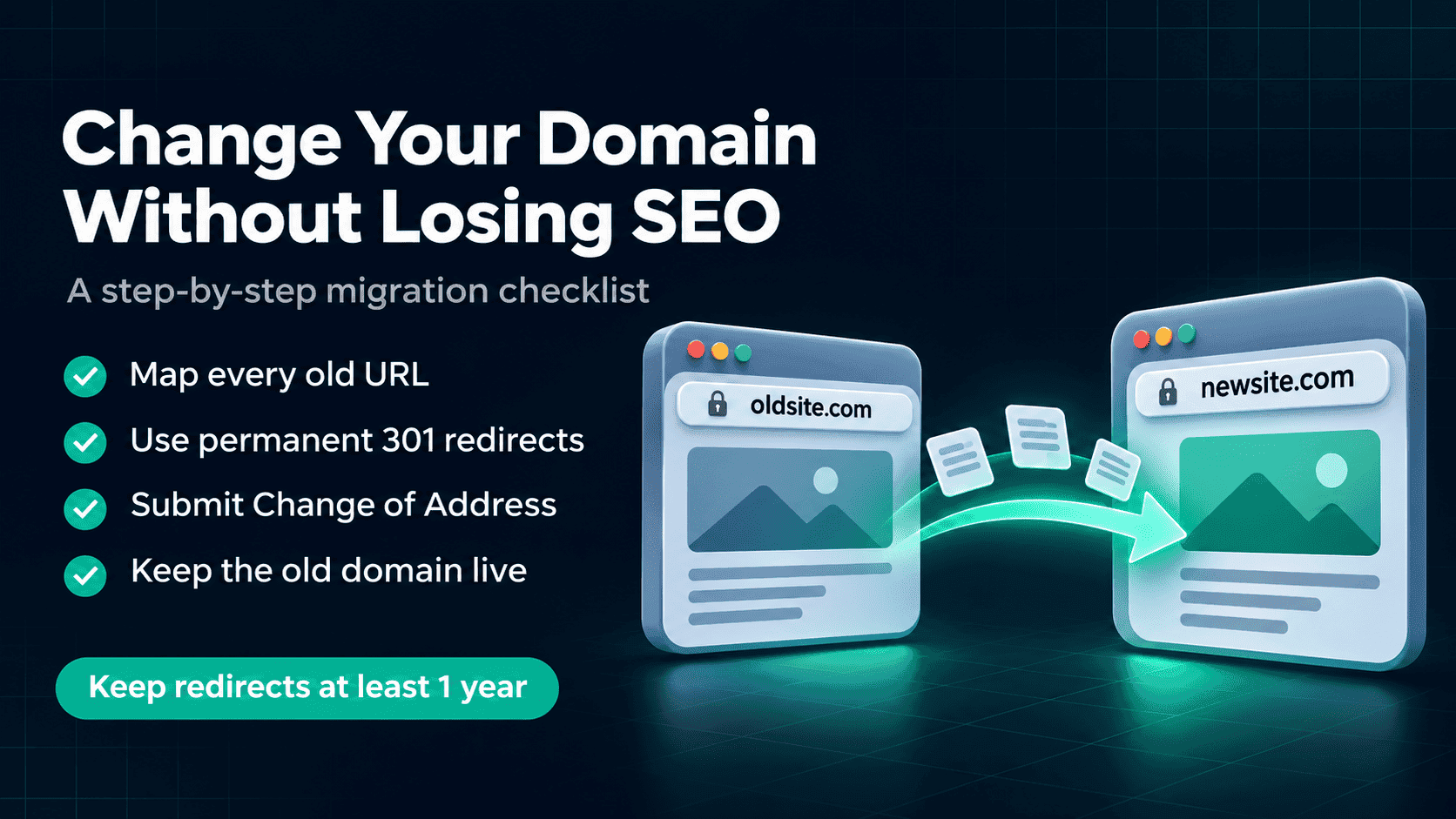
How to Change Your Domain Without Losing SEO (2026 Guide)
Moving to a new domain? Follow this step-by-step SEO checklist: URL mapping, 301 redirects for Apache, Nginx and Next.js, and Google's Change of Address tool.
November 12, 2026 · SEO · 10 min read
How to Change Your Website's Domain Without Losing SEO
A domain move does not have to wipe out years of rankings. This is the step-by-step checklist I follow: URL mapping, 301 redirects, Search Console's Change of Address tool, and what to watch after launch.
The one rule that matters most
Redirect every old URL to its exact new URL with a permanent (301 or 308) redirect, page to page, and keep those redirects live for a long time. Almost every domain move that loses traffic breaks this rule somewhere.
What happens to SEO when you change domains
Your rankings are tied to URLs. Backlinks, internal links and Google's history all point to addresses on the old domain. When you move, you need Google to transfer those signals to the new addresses, and permanent redirects are how you tell it to.
Google treats 301 and 308 redirects as permanent, and uses them as a strong signal that the new URL should become the canonical one. Done properly, most signals carry over. Even so, expect some ranking movement for a while as Google recrawls the site. Nobody can promise zero fluctuation, but you can avoid a permanent drop.
Before the move: preparation checklist
- Export every URL on the old site. Use your XML sitemap, a crawler, and the Pages report in Search Console so you don't miss old posts, images or PDFs that still get traffic.
- Save your benchmarks. Export top pages, top queries, clicks and impressions from Search Console, plus your analytics landing pages. You will compare against these after the move.
- Verify the new domain in Search Console. Also verify every variant of the old domain (www, non-www and any subdomains like
en.orblog.) using the same Google account. You will need these for the Change of Address tool. - Keep the URL structure the same. Change the domain only. If you also change slugs, platform and design in the same week, you will not know what caused a drop. Do one big change at a time.
- Build the new site on staging first and make sure it is not blocked by
noindextags or arobots.txtdisallow when it goes live. This is the mistake I see most often. - Keep the old domain registered. Renew it for at least a year, ideally longer. If it expires, every redirect and backlink pointing to it dies with it.
Map every old URL to its new URL
Make a simple spreadsheet with two columns: old URL and new URL. If you keep the same paths, the mapping is mostly mechanical. Pages you are removing should point to their closest relevant replacement, not the homepage.
| Old URL | New URL | Note |
|---|---|---|
| oldsite.com/ | newsite.com/ | Homepage to homepage |
| oldsite.com/blog/seo-roadmap | newsite.com/blog/seo-roadmap | Same path, new domain |
| www.oldsite.com/about | newsite.com/about | Cover the www variant too |
| oldsite.com/old-offer | newsite.com/services | Removed page: closest match |
Avoid redirect chains (old URL → temporary URL → final URL). Each old URL should go straight to its final destination in one hop. If you already had redirects on the old domain, update them so they point directly to the new domain.
Set up permanent 301 redirects
Below are domain-wide redirects that keep the path, so oldsite.com/any/page goes to newsite.com/any/page. Replace the domain names with yours and test before you rely on them.
Apache (.htaccess on the old domain)
If the old domain has its own document root, Apache's Redirect permanent sends the rest of the path along automatically:
Redirect permanent "/" "https://newsite.com/"Only use this on the old domain's own folder. If both domains point to the same folder, this would redirect the new domain to itself, so use a host-based rewrite rule or your host's redirect tool instead.
Nginx
Add a server block for the old domain and its www variant that returns a 301 with the original path and query string:
server {
    server_name oldsite.com www.oldsite.com;
    # keep your existing listen and SSL certificate lines here
    return 301 https://newsite.com$request_uri;
}
Keep a valid SSL certificate on the old domain. Visitors and crawlers arriving on https://oldsite.com need a working certificate to reach the redirect.
Next.js (next.config.js)
If one Next.js app answers on both domains, match on the host and send every path to the new domain. With permanent: true, Next.js returns a 308, which Google treats as permanent just like a 301.
module.exports = {
  async redirects() {
    return [
      {
        source: '/:path*',
        has: [{ type: 'host', value: 'oldsite.com' }],
        destination: 'https://newsite.com/:path*',
        permanent: true,
      },
      {
        source: '/:path*',
        has: [{ type: 'host', value: 'www.oldsite.com' }],
        destination: 'https://newsite.com/:path*',
        permanent: true,
      },
    ]
  },
}
Next.js passes query strings through to the destination automatically. For pages whose slug changed, add specific redirects above the catch-all ones so they match first.
Test your redirects
Check a sample of old URLs (homepage, top posts, a deep page, a URL with a query string) and confirm each one returns a single 301 or 308 to the right new URL. A quick way from the terminal is curl -I https://oldsite.com/some-page, which shows the status code and the location header.
Moving day: step by step
- Launch the new site on the new domain and confirm it is indexable (no noindex, robots.txt allows crawling, valid SSL).
- Update internal links, canonical tags, hreflang tags, structured data and Open Graph URLs to use the new domain.
- Switch on the redirects on the old domain and test your sample URLs.
- Submit the new domain's XML sitemap in Search Console.
- Run the Change of Address tool from the old domain's property (steps below).
- Update the URL everywhere you control it: social profiles, Google Business Profile, app store listings, email signatures and paid ads.
- Contact the owners of your most valuable backlinks and ask them to link to the new URL directly.
Do not block the old domain in robots.txt. Google has to be able to crawl the old URLs to see the redirects and pass the signals on.
Use Google's Change of Address tool
Search Console's Change of Address tool tells Google that your whole domain has moved. According to Google, after a successful request it prioritises crawling and indexing the new site for 180 days, and shows a "move in progress" notice for the same period.
Requirements
- You are a verified owner of both the old and new properties, using the same Google account.
- The old homepage (and ideally every canonical page) already 301-redirects to the new site.
- Both properties are domain-level (for example example.com), not a folder like example.com/blog.
How to submit it
- Open Search Console and select the old domain's property.
- Go to Settings and choose Change of address.
- Select the new property from the list.
- Let the tool run its checks. Fix anything it marks as critical, then submit.
- Repeat for every other variant of the old domain (www, non-www and any subdomains).
That last step is easy to miss. Google updated its site move guidance in June 2026 to recommend submitting a request for every variant of the old domain, including www, non-www and subdomains you no longer use, because migrations work best when all variants move together.
You don't need this tool for an http to https switch, a www to non-www change on the same domain, or a hosting change where URLs stay the same. Redirects and canonicals handle those.
After the move: what to monitor
- Search Console Pages report for the new domain: indexed pages should rise as the old domain's fall.
- Crawl errors and 404s on the old domain: any old URL that 404s instead of redirecting needs a rule.
- Performance report: compare clicks and impressions with the benchmarks you saved, by page, not just in total.
- Server logs or analytics: confirm traffic is arriving on the new domain and that old URLs are still being redirected.
Some fluctuation in the first weeks is normal, and larger sites take longer to settle. If one important page drops and stays down, check its redirect, its canonical tag and whether the new URL is actually indexed.
Common mistakes that cost rankings
| Mistake | Why it hurts | Fix |
|---|---|---|
| Redirecting everything to the homepage | Google can treat these as soft 404s, so page-level signals are lost | Redirect each page to its closest equivalent |
| Using temporary (302/307) redirects | They signal the move is not permanent | Use 301 or 308 |
| Removing redirects after a few months | Old backlinks and bookmarks stop passing value | Keep them at least a year, ideally indefinitely |
| Letting the old domain expire | All redirects break and someone else can buy it | Keep renewing it |
| Changing domain and URLs and design at once | Hard to diagnose what caused a drop | Change the domain first, redesign later |
| Forgetting www or subdomain variants | Part of the old site is never migrated | Redirect and submit every variant |
Frequently asked questions
Will I lose SEO if I change my domain name?
You can expect temporary fluctuation while Google recrawls and processes the move. With page-to-page permanent redirects, the same URL structure and the Change of Address tool, most sites recover their rankings over time. A permanent loss usually points to missing or wrong redirects.
How long should I keep 301 redirects after a domain change?
Google's Change of Address documentation says to keep redirects for at least 180 days, and longer if old URLs still get search traffic. It also recommends keeping the old domain for at least a year. My advice is simple: keep the redirects running for as long as you own the old domain.
Is a 308 redirect as good as a 301 for SEO?
Yes. Google treats both 301 and 308 as permanent redirects. Next.js uses 308 by default for permanent redirects, and that is fine for a domain move.
Can I just redirect all old pages to the new homepage?
You can, but you shouldn't. Mass homepage redirects throw away the relevance of individual pages. Map each old page to the most relevant new page instead.
Do I need to update my backlinks?
Redirects pass most of the value, so you don't have to update every link. It is still worth asking the sites behind your most important backlinks to link to the new URL directly, since direct links do not depend on your redirects staying live.
Do I use the Change of Address tool for http to https?
No. Google handles http to https and www to non-www changes on its own through redirects and canonical tags. The tool is for moving to a different domain.
How long does a domain migration take to settle?
It varies by site size and how often Google crawls you. Small sites can settle within weeks, while large sites can take months. Watch the trend in Search Console rather than day-to-day changes.
Useful links
A domain change is mostly careful bookkeeping: map every URL, redirect it once, tell Google, and keep the old domain alive. Take it slowly, change one thing at a time, and your rankings have the best chance of following you to the new address. If you are planning a move and want a second pair of eyes on it, you can reach me through my website.